
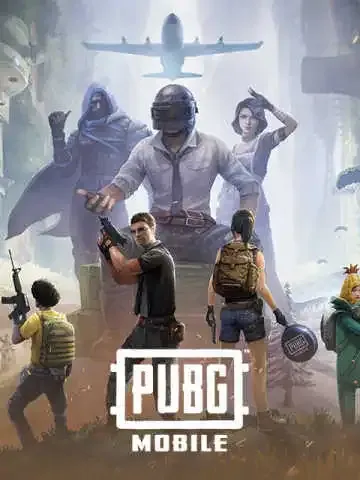
Pubg Mobile Global
Kindly provide the correct player ID to avoid unnecessary delay in top-up.
description Description
About PUBG Mobile UC
PUBG Mobile is a popular battle royale game where players can create their own character and compete in intense survival matches, either solo or in teams.
In-game purchases allow players to unlock exciting items such as weapon skins, outfits, parachutes, and more, enhancing both gameplay and customization.
Developed by Tencent Games, PUBG Mobile played a major role in popularizing the battle royale genre worldwide. The game is free to download on Android and iOS, but in-game currency helps unlock premium features.
PUBG Mobile UC Top-Up
Purchase PUBG Mobile UC to enjoy premium features such as Lucky Spin, Royale Pass, and exclusive in-game items.
UC is credited directly to your account after successful payment.
Why Buy PUBG Mobile UC from Bharat Bargains
PUBG Mobile players choose Bharat Bargains for a smooth and reliable top-up experience:
- Secure and easy transactions
- Instant UC delivery after payment
- Multiple payment options (UPI, cards, etc.)
- Quick and hassle-free process
- Dedicated customer support
To top up:
- Enter your PUBG Mobile Player ID
- Select your desired UC amount
- Complete the payment
Your UC will be credited shortly after confirmation.
help_outline Guide
How to Top Up PUBG Mobile UC
- Select your desired UC (Unknown Cash) denomination
- Enter your PUBG Mobile Player ID
- Proceed to checkout and select your payment method
- Once payment is completed, the UC will be credited to your PUBG Mobile account shortly
Important Information
- Only Player ID is required for UC top-up
- You can stay logged in during the transaction
- UC will be credited once the top-up is completed
- Please enter the correct Player ID to avoid delays
- This service is not available for Japanese, Korean, Taiwan, and Vietnam servers
- Royale Pass Pack and Elite Pass Plus can only be purchased once per season
- Once Royale Pass Pack is activated, it cannot be upgraded to Elite Pass Plus
How to Find PUBG Mobile Player ID
- Log in to your PUBG Mobile account
- Open your player profile
- Your Player ID will be displayed on the screen