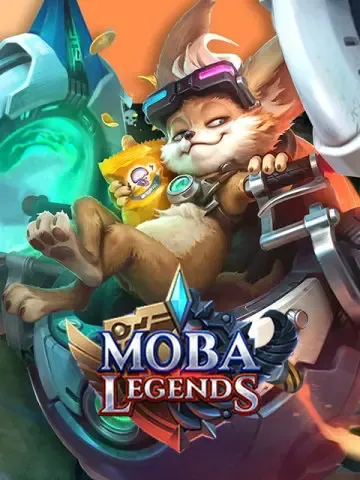
Moba Legends: 5v5
Not available for users from Indonesia, Singapore, Malaysia, Russia, and Vietnam. Indonesian users can use Mobile Legends Global instead, Kindly provide the correct User ID and Zone ID to avoid unnecessary delay in top-up.
description Description
About MOBA Legends Diamonds
MOBA Legends: Bang Bang Diamonds are the in-game currency used to purchase various items and features. Diamonds can be obtained through in-game purchases using real money or by participating in events, tournaments, and rewards.
They can be used to buy heroes, skins, emotes, and other cosmetic items. Diamonds can also be used for features like hero trial cards and Battle Points (BP) conversion.
Additionally, Diamonds can be purchased in bundles, often at discounted rates. Availability and pricing may vary depending on your region. While Diamonds enhance gameplay, they are optional and not required to enjoy the game.
Why Buy MOBA Legends Diamonds
Buying Diamonds enhances your gaming experience by unlocking premium features such as heroes, skins, emotes, and more.
- Customize your gameplay with exclusive skins and items
- Access useful features like BP conversion and trial cards
- Progress faster in the game
- Support ongoing game development
While not necessary, Diamonds can significantly improve your overall experience.
Is It Worth Buying Diamonds?
Whether buying Diamonds is worth it depends on your preferences and playstyle.
Some players value customization and faster progression, while others enjoy the game without spending. Diamonds offer convenience and premium access, but the decision is entirely yours.
Why Buy from Bharat Bargains
Bharat Bargains is a trusted platform for MOBA Legends top-ups, offering:
- Secure and fast transactions
- Competitive pricing
- Multiple payment options (UPI, cards, etc.)
- Smooth and hassle-free process
To top up:
- Enter your User ID and Zone ID
- Select your desired denomination
- Complete payment
Your Diamonds will be credited shortly after payment confirmation.
Instant Top-Up
Recharge MOBA Legends Diamonds, Seasonal Pass, or Twilight Pass instantly.
- Enter your User ID
- Select the desired pack
- Complete the payment
Diamonds will be added to your account quickly.
How to Get Free Diamonds
Legitimate ways to earn free Diamonds include:
- Daily login rewards
- In-game events and challenges
- Missions and achievements
- Referral rewards
Avoid using hacks or generators, as they may lead to account bans or security risks.
How Are Top-Ups Cheaper?
Some platforms offer better pricing than in-game purchases through:
- Bulk purchase discounts
- Promotional offers and vouchers
- Seasonal deals
Always purchase from trusted platforms like Bharat Bargains to avoid issues.
Send Diamonds or Membership
You can send Diamonds or membership to your friends easily:
- Select the desired product
- Enter your friend’s User ID
- Choose your payment method
- Complete the purchase
The gift will be delivered instantly to your friend’s account.
Global Availability
MOBA Legends Diamonds are globally redeemable across all servers.
Important Information
- Only User ID is required for top-up
- Stay logged in during the transaction
- Enter correct details to avoid delays
- Diamonds are delivered shortly after payment
Note: Players in SG, MY, and PH cannot purchase certain denominations. Please select an alternative pack if unavailable.
help_outline Guide
How to Top Up ML Diamonds
- Select your desired Diamond denomination
- Enter your Mobile Legends User ID and Zone ID
- Proceed to checkout and select your payment method
- Once payment is completed, the Diamonds will be credited to your MLBB account shortly
How to Find ML User ID and Zone ID
- Log in to your Mobile Legends account
- Tap on your avatar in the top-left corner
- Your User ID and Zone ID will be displayed
- (Example: User ID = 12345678, Zone ID = 1234)